

The Best Prompts for Creating Games on Plutus (With Examples That Actually Work)
Your AI game is only as good as your prompt. Here are the best prompts for creating games on Plutus — with real examples, common mistakes, and a framework for writing prompts that produce games people actually want to play.
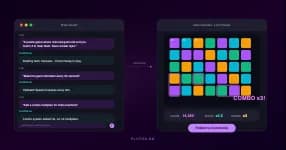
The AI game creator on Plutus can build a playable game from a single sentence. But not all sentences are created equal. A vague prompt produces a vague game. A sharp prompt produces something people actually want to play.
After watching thousands of community games get created and seeing which ones get played, rated, and featured in tournaments, patterns emerge. The best game prompts share a few qualities that the worst ones consistently miss.
Here's what works, what doesn't, and a framework you can use every time.
The anatomy of a great game prompt
A strong prompt answers three questions in one or two sentences:
- What does the player do? (the core action)
- What makes it harder? (the challenge)
- What does it look like? (the visual vibe)
That's it. You don't need to describe every mechanic, every level, or every edge case. The AI fills in the gaps. Your job is to give it a clear direction — not a spec sheet.
Example of a great prompt:
"A puzzle game where coloured gems fall from the top of the screen and you match three of the same colour to clear them. The gems fall faster every 30 seconds. Neon arcade style."
This works because it tells the AI exactly what the player does (match gems), what creates tension (increasing speed), and what it should look like (neon arcade). The AI has a clear target.
Example of a weak prompt:
"Make a fun game"
This produces something, but it'll be generic. The AI has no direction on genre, mechanic, or feel. You'll spend more time tweaking than you saved by being brief.
10 prompts you can copy and use right now
These are starter prompts that consistently produce good results on Plutus. Use them as-is, or adapt them to your own ideas.
1. The speed stacker
"A tower-stacking game where you tap to drop blocks onto a moving platform. Each block that doesn't align perfectly makes the tower narrower. Clean minimal style with a white background and coloured blocks."
2. The colour panic
"A reaction game where the screen shows a colour word (like RED) in a different font colour (like blue), and you have to tap the actual font colour, not the word. Speeds up every 10 correct answers. Dark background, bold text."
3. The gravity flipper
"A platformer where you tap to flip gravity — the character alternates between running on the floor and ceiling. Obstacles come from both directions. Retro pixel art style."
4. The gem cascade
"A match-3 puzzle where gems fall from the top. Match 3 or more of the same colour to clear them. Cleared gems cause the ones above to cascade down, creating chain reactions. Purple and teal colour scheme."
5. The knife ring
"A knife-throwing game where you tap to throw knives at a rotating circular target. Don't hit a knife that's already stuck in the target. The target speeds up and changes direction every 5 throws."
6. The memory grid
"A memory game where a grid of tiles briefly shows a pattern, then flips over. Tap the tiles that were highlighted, in the correct order. Grid gets bigger each level. Calm pastel colours."
7. The dodge master
"An endless dodging game where your character stands in the centre and projectiles come from all four edges of the screen. Swipe to dodge. Projectiles get faster and more frequent over time. Space theme with dark background."
8. The word scramble
"A word game where scrambled letters appear and you tap them in the correct order to spell the word. Timer counts down. Longer words appear as you progress. Clean white interface."
9. The bounce physics
"A game where you launch a ball from the top of the screen and it bounces off pegs on the way down. Score points based on which bucket it lands in at the bottom. Pachinko-style. Colourful and playful."
10. The rhythm tap
"A rhythm game where coloured circles expand outward from the centre and you tap them when they hit a ring at the edge. Tapping on time scores points, tapping early or late loses a life. Music-visualiser aesthetic."
Common mistakes that produce bad games
Being too abstract
Prompts like "a game about emotions" or "something creative" give the AI nothing concrete to build. The AI needs a physical action — tap, swipe, match, dodge, stack — to create a playable mechanic.
Overloading with detail
Going the other direction is equally problematic. A 500-word prompt with 15 different mechanics will confuse the output. The best games have one core mechanic done well. Save the complexity for follow-up refinements.
Forgetting the difficulty curve
If your prompt doesn't mention how the game gets harder, the AI will often produce a flat experience — same difficulty from start to finish. Adding one phrase like "speeds up every 30 seconds" or "grid gets bigger each level" transforms a boring game into an engaging one.
Skipping the visual direction
The AI defaults to a reasonable look, but "neon arcade style" produces something very different from "calm pastel minimal." A few words about visual tone make a surprising difference in how the final game feels.
The refine loop: prompts after the first prompt
Creating a game on Plutus isn't a one-shot process. The best creators use the initial prompt to generate a first version, then use follow-up prompts to refine it. Think of it like a conversation:
First prompt: "A tower-stacking game where you tap to drop blocks. Blocks get smaller as the tower gets taller. Clean minimal style."
After playing the first build:
- "Make the blocks fall slightly faster after every 10 blocks"
- "Add a score multiplier for perfect placements"
- "Change the background to dark mode"
- "Add a gentle screen shake when you misalign a block"
Each follow-up takes seconds. Within five or six exchanges, you have a game that feels polished and intentional — not just generated, but designed.
What separates games that get featured from games that don't
Looking at the games that reach the top of Plutus's trending section or get selected for tournaments, they share a few qualities:
Instant readability. You understand what to do within the first five seconds. No tutorial needed.
A satisfying loop. The core action — tapping, swiping, matching — feels good to repeat. There's a physical rhythm to it.
Clear progression. The game gets harder in a way that feels fair. You always feel like you could have done better.
One surprising element. A gravity flip, a rule change, a visual twist — something that makes you say "oh, that's clever."
Games that have these qualities tend to earn high ratings and high play counts. The prompt is where all four start.
Frequently Asked Questions
What's the best length for a game prompt on Plutus? One to three sentences is the sweet spot. Enough to specify the core mechanic, difficulty progression, and visual style. Shorter prompts tend to produce generic results; longer prompts can confuse the AI.
Can I edit my game after creating it? Yes. After the AI generates your game, you can type follow-up prompts to adjust mechanics, visuals, speed, difficulty, and more. Most creators refine their games through several rounds of iteration.
What types of games work best with AI prompts? Hyper-casual genres work extremely well: puzzle games, reaction games, runners, stackers, and physics-based games. These have clear mechanics that the AI can build reliably from a text description.
Do I need to know how to code? No. The entire process uses natural language. You describe what you want in plain English and the AI handles all the technical building.